
Did you know there’s a tool on GoGreenFinancing.com that helps contractors and project developers review financing options with customers in one place?
For contractors and project developers who may not be familiar with every lender or financing structure, this tool provides a simple way to guide the discussion without needing to explain each option from memory. Instead of directing customers to multiple sources, you can keep the conversation in one place and focus on the project.
GoGreen Business works with several lenders, each offering different loan amounts, terms, and project types. Seeing these options side by side helps customers better understand what is available and how each lender may meet their needs.
During the discussion, up to three lenders can be selected and compared at the same time. Key details such as financing amounts, term ranges, and eligible project types are shown clearly, making it easier to walk through options step by step.
How to Use the Lender Comparison Tool
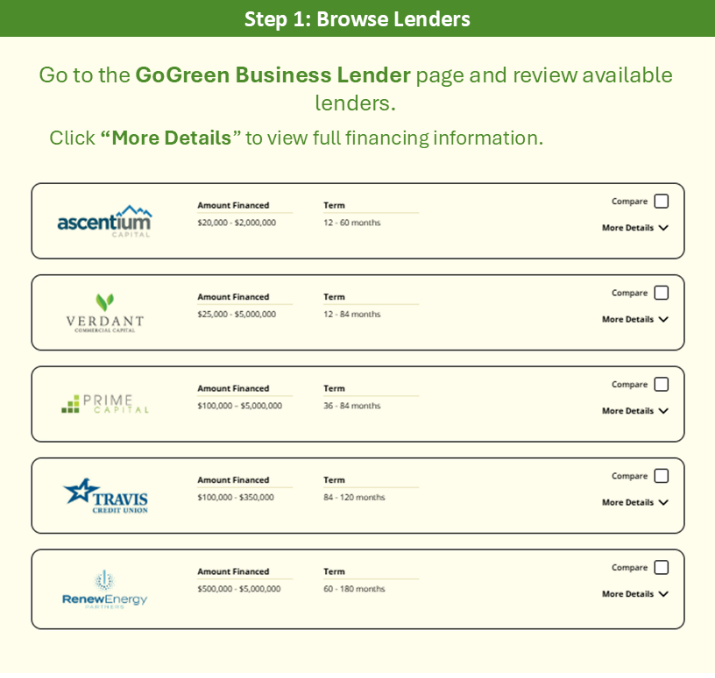
Step 1: Browse Lenders
Go to the GoGreen Business Lender page and review available lenders.
Click “More Details” to view full financing information.
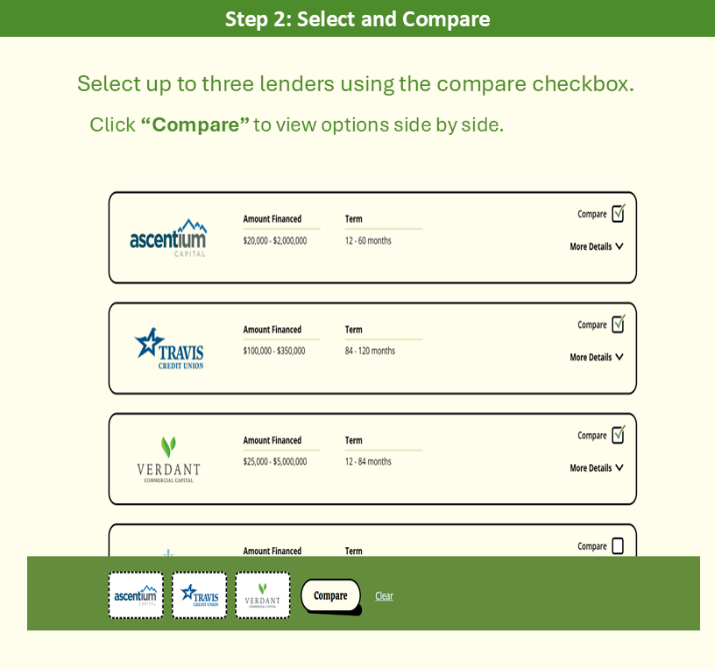
Step 2: Select and Compare
Select up to three lenders using the compare checkbox.
Click “Compare” to view options side by side.
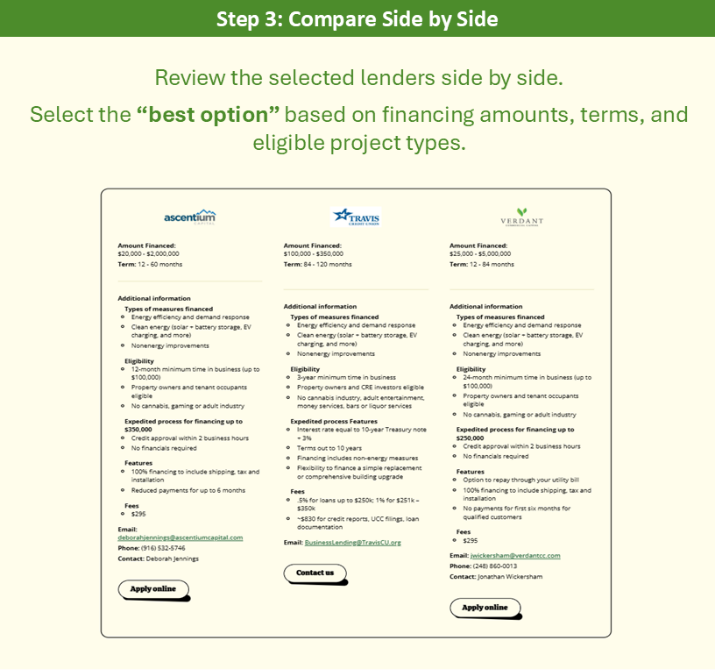
Step 3: Compare Side by Side
Review the selected lenders side by side.
Select the “best option” based on financing amounts, terms, and eligible project types.
While contractors and project developers can guide customers through the tool, lenders are responsible for setting financing terms and making all credit decisions. This allows you to focus on supporting the customer and moving the project forward, without needing to take on the role of a financing expert.
View the Lender Comparison Tool to review lender options and support customers in real time.